
Give the subject a clear action
Choose a visible change, such as a hand lifting a bottle or a character turning toward a light. Describe the starting position and where the action leads.
Direct a product reveal, a character moment, or a cinematic scene with the AI video generator on Seedance 3.0. Start from text or a supported image, write the action and camera move, and plan pacing. Add sound directions only with a model that supports audio.
Think like a director
Write a short director's brief: what happens, how the camera sees it, and when the moment settles. Separate those choices so you can judge what works in the result.
Choose a visible change, such as a hand lifting a bottle or a character turning toward a light. Describe the starting position and where the action leads.
A slow approach can reveal a material; a following shot can keep a character's gesture in view. Describe the camera movement separately from the subject's action.
Explain the order of events: a brief pause, the main action, then a held ending. Match the scope of the idea to the duration available for the selected model.
With an audio-capable model, describe relevant sounds such as rain or footsteps and review the available audio settings. Listen to the output to check how it relates to the visible action.
Short film briefs
Use the AI video generator to explore these shot ideas. The stills set a visual direction; bring your own action and camera instructions to the chosen video mode.

Use the silver-blue perfume bottle to plan an introduction, a closer look at its material, and a closing frame. Give each clip one clear action and check that the bottle's shape and cap stay readable.
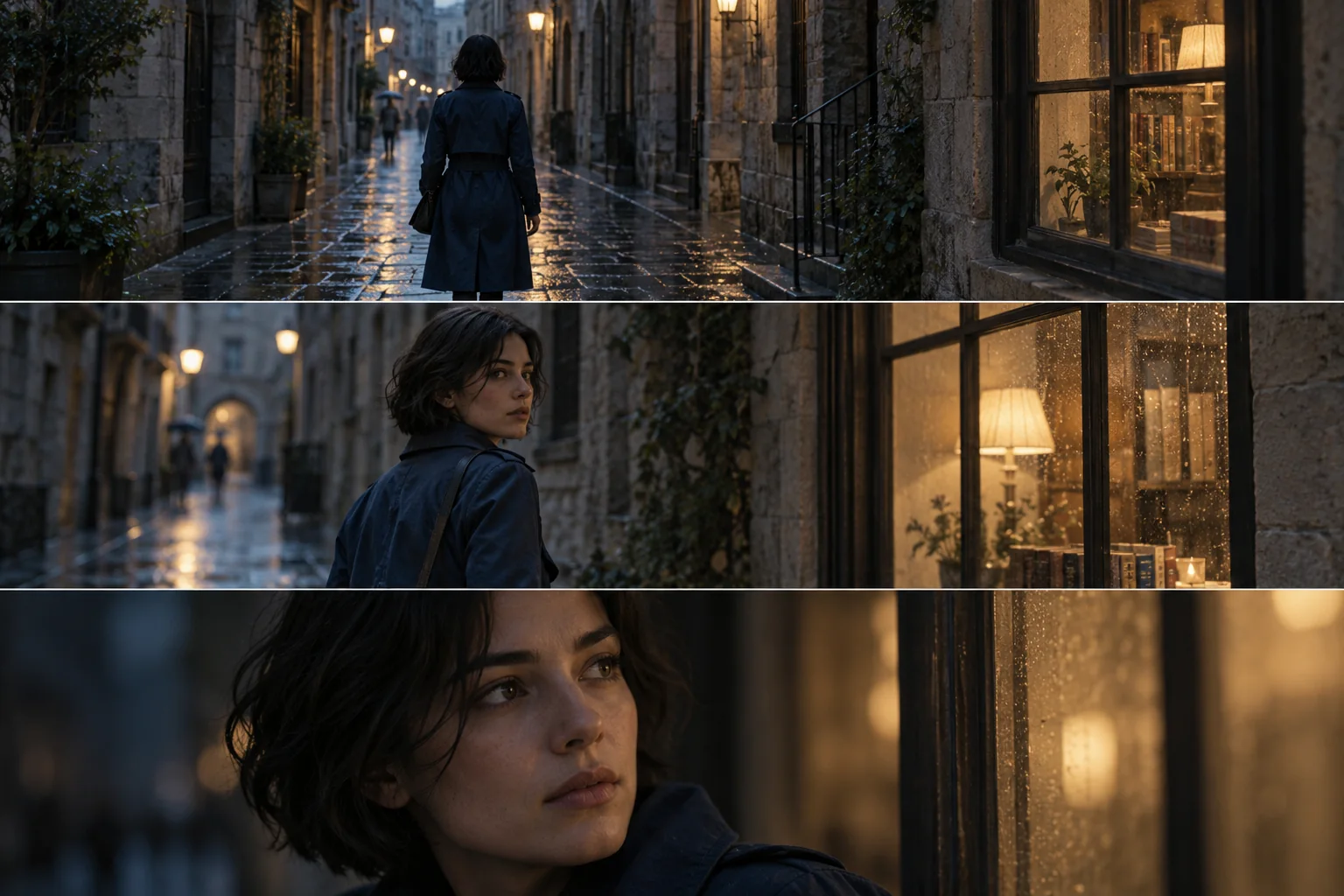
A woman in a dark blue trench coat pauses, looks toward the street, then continues. Choose one moment for a clip and a camera move that follows it; plan the next shot around the action you want to carry forward.

Describe the rain, reflected lights, and movement through the night street. A restrained tracking shot and a held ending can form the brief. Add rainfall or footsteps only when the selected model supports sound.
From brief to playback
Give the AI video generator a manageable shot, then assess the full result before deciding what belongs in your short film.
01
Describe a scene in text, or upload a still in a supported first-frame mode. Choose the input that gives you the clearest starting composition.
02
State what moves, how the camera follows, and where the shot should settle. Keep the sequence within the duration offered by your chosen model.
03
Check the available aspect ratio, resolution, duration, and credit estimate. Review audio options only where supported, then sign in to submit the task.
04
Check the subject, camera path, motion, and final composition. Listen when the output contains audio. Adjust the instruction related to the issue before generating another version.
Questions from the directing desk
Plan inputs, shot structure, sound, and cost around the model and mode you actually select.
Some models offer a first-and-last-frame mode. Use it only when the generator shows that option, and upload the required images. Describe the intended transition, then check the motion between the two frames in the result.
Plan the sequence before opening the AI video generator. When the selected model offers shot controls, give each shot its own prompt and duration. Otherwise, generate separate clips and arrange the chosen results in your editing workflow.
No. Sound generation and audio controls depend on the selected model and mode. When an audio option is available, review it and describe the sounds relevant to the scene. Listen to the result rather than assuming it matches every requested cue.
Large movements, a crowded scene, or a close crop can make details harder to follow. Try a simpler action or steadier camera brief and identify the shape or label that matters. Inspect that detail throughout the next result.
Costs depend on the selected model and task settings. Review the displayed estimate after changing duration, resolution, or reference inputs, and check your balance before submitting. The pricing page explains the available plans.
Video creation on Seedance 3.0
Bring a subject, an action, and a camera idea to the AI video generator on Seedance 3.0. Create a clip and review how it serves your product short or story.